
What's free, informative and fabulous? - our next Facebook Class, to be held on Friday June 6, 2014 from 12 - 1 in our beautiful Smart Lab.
We'll show you how you can sign up if you're new to the game. For regular users, we'll talk about managing your privacy settings, and take your questions. (If your questions are not answerable in the time we have allotted for class, we'll even email you later!)
Here's a recent issue I was asked about:
"I don't want to include my birth year on my Facebook page but it somehow appears on my Timeline and is visible for my Friends to see. Help!"
Here's how to keep your day and month available (so that you get birthday greetings!), but bypass the inclusion of your birth year in your profile (some things are best left private, after all!):
1. Log in to your account.
2. Click on your Name in the upper left hand corner
3. Click on the Update Info button to the right of your name.
4. Click on the About tab.
5. Locate the Basic Information box.
6. Hover over your birth year until you see the Edit button and then click it.
7. Click on the down arrow to the right of the year.
A dialog box appears with the following choices:
Public
Friends
Friends Except Acquaintances
Only Me
Family
8. Check mark next to Only Me.
9. Click Save Changes button.
Now, to check and make sure that you have implemented the change you wanted, hover your mouse over your birth year in the Basic Information box. Point the cursor over the lock icon. "Only Me" should pop up. If so, congratulations! You have successfully hidden your birth year information.
Here's something that perhaps you didn't know: if you would like to keep your information private from apps (like games) your friends may use on Facebook, follow these steps as well. (Yes, your information may be shared through the games that your friends play even without you using those games yourself.)
1. Log in.
2. Click on the down arrow on the uppermost top right of your page.
3. Click on Settings in the drop down.
4. Click on Apps in the left menu bar.
5. Find the "Apps others use" section and click on Edit.
6. Uncheck all boxes.
7. Click the Save Changes button.
That's it!
(Note that the above steps are for using a PC, you will have to modify somewhat for mobile devices.)
Facebook Class will be held in the Smart Lab, right next to Meeting Room A/B in the South Brunswick Public Library. Hope to see you there!
Diane Whitman
Twitter @whitlibrarian
Reference Librarian
Technology Instructor
Showing posts with label technology. Show all posts
Showing posts with label technology. Show all posts
Friday, May 30, 2014


Friday, March 2, 2012
Kindles and Cookies
As I wrote the title above, it occurred to me that I could be talking about either the "cookies" that are stored on your computer OR cookies that you eat...
OK, today, we're talking about edible cookies: Almond Macaroons from the cookbook 500 Under 500, From 100 Calorie Snacks to 500 Calorie Entrees by Lynette Rohrer Shirk - which I got from the South Brunswick Library's e-book collection FOR FREE on the Kindle Fire.
Free e-books are available from our Library, and more's the better - some of them are cookbooks. (Who says there's no such thing as a free lunch?)
(Go to our website http://www.sbpl.info/, click on "download audiobooks.e-books" and follow the directions from eLibraryNJ. If you need help with this, call us at the Reference Desk - 732-329-4000 x7286. I found the most cookbooks - 53 of them - by searching on Quick Search, then e-books, search term either "cooking" or "food".)
So this morning before work - I know, I have a lot of energy! - I whipped up this easy recipe using a Kindle.
What I found using a Kindle vs. a print cookbook:
E-Reader Advantages:
- no need to hold down the page to keep it open.
- small, portable and light - I could take LOTS of cookbooks with me on vacation! (What, I can't be the only one who loves to cook on vacation...)
E-Reader Disadvantages:
- harder to "leaf" through to get an overview of the book.
- fragility: would dropping on egg on a Kindle be the end of it?
I really did love cooking from the Kindle, you can change the font size in a jif, you can easily bookmark your pages, plus the brightness of the screen makes it easy to read. Cooking from the Kindle: like being in the Futurama exhibit at the 1964 World's Fair.
Now, as for the cookbook, I didn't love it. Lynette Shirk's recipes are not very precise, and I think a novice cook would have difficulty interpreting the terse directions. Also, there's not a lot of personality exhibited in this collection; I like a cookbook with a personal point of view. Shirk has written nine cookbooks, worked as a pastry chef at Chez Panisse, worked for Williams Sonoma, and attended culinary school, but you would be hard pressed to divine that from this tome.
The macaroons themselves are easy to throw together if you have all the ingredients. (I know, who has candied orange peel and ground almond meal on hand? Me!)
Almond Macaroons adapted from 500 under 500
2 egg whites
1/4 cup white granulated sugar
1 1/4 cup shredded sweetened coconut
3/4 cup ground almonds (can buy this at Trader Joe's)
1/4 cup candied orange peel
1/4 cup applesauce
2 Tablespoons flour
Preheat oven to 350 degrees. Line cookie sheet with parchment paper.
In a large bowl, whisk the egg whites with the sugar until foamy.
On a large cutting board, mix the ground almonds and the orange peel together and chop finely.
Add this mixture and all the remaining ingredients to the the egg whites in the bowl and mix well.
Portion out 16 balls from the batter, and place on cookie sheet (this is easiest with a 1 inch size ice cream scoop if you have one - definitely a time saver!)
Bake 20 minutes. Let cool. Peel cookies away from the paper.
Yields: 16 macaroons, 117 calories each.
The cookies tasted half like a coconut macaroon and half like an almond cookie, but the best part was the candied orange peel - a very nice addition that gave the cookies an unexpected flavor boost. Great with a cup of tea.
As for the computer cookies, I may try and work up a computer class regarding internet security to offer at the Library - check out our Event Calendar in the upcoming months for this and other computer classes I'll be teaching - including using the Internet, Gmail, Facebook, and LinkedIn.
And take out some electronic books from our Library on your mobile device (including your smartphone) or computer, and bring your cooking into the age of the e-book. By the way, you can take out 5 e-books, and additionally put 5 e-books on hold at any one time, and the books expire automatically so they will never be overdue!
Diane Whitman
Reference Librarian
Cookie and Computer Aficionado
 |
| Still life with Kindle. |
OK, today, we're talking about edible cookies: Almond Macaroons from the cookbook 500 Under 500, From 100 Calorie Snacks to 500 Calorie Entrees by Lynette Rohrer Shirk - which I got from the South Brunswick Library's e-book collection FOR FREE on the Kindle Fire.
Free e-books are available from our Library, and more's the better - some of them are cookbooks. (Who says there's no such thing as a free lunch?)
(Go to our website http://www.sbpl.info/, click on "download audiobooks.e-books" and follow the directions from eLibraryNJ. If you need help with this, call us at the Reference Desk - 732-329-4000 x7286. I found the most cookbooks - 53 of them - by searching on Quick Search, then e-books, search term either "cooking" or "food".)
So this morning before work - I know, I have a lot of energy! - I whipped up this easy recipe using a Kindle.
What I found using a Kindle vs. a print cookbook:
E-Reader Advantages:
- no need to hold down the page to keep it open.
- small, portable and light - I could take LOTS of cookbooks with me on vacation! (What, I can't be the only one who loves to cook on vacation...)
E-Reader Disadvantages:
- harder to "leaf" through to get an overview of the book.
- fragility: would dropping on egg on a Kindle be the end of it?
I really did love cooking from the Kindle, you can change the font size in a jif, you can easily bookmark your pages, plus the brightness of the screen makes it easy to read. Cooking from the Kindle: like being in the Futurama exhibit at the 1964 World's Fair.
Now, as for the cookbook, I didn't love it. Lynette Shirk's recipes are not very precise, and I think a novice cook would have difficulty interpreting the terse directions. Also, there's not a lot of personality exhibited in this collection; I like a cookbook with a personal point of view. Shirk has written nine cookbooks, worked as a pastry chef at Chez Panisse, worked for Williams Sonoma, and attended culinary school, but you would be hard pressed to divine that from this tome.
The macaroons themselves are easy to throw together if you have all the ingredients. (I know, who has candied orange peel and ground almond meal on hand? Me!)
 |
| Actual cookies on left, e-cookies on right. |
Almond Macaroons adapted from 500 under 500
2 egg whites
1/4 cup white granulated sugar
1 1/4 cup shredded sweetened coconut
3/4 cup ground almonds (can buy this at Trader Joe's)
1/4 cup candied orange peel
1/4 cup applesauce
2 Tablespoons flour
Preheat oven to 350 degrees. Line cookie sheet with parchment paper.
In a large bowl, whisk the egg whites with the sugar until foamy.
On a large cutting board, mix the ground almonds and the orange peel together and chop finely.
Add this mixture and all the remaining ingredients to the the egg whites in the bowl and mix well.
Portion out 16 balls from the batter, and place on cookie sheet (this is easiest with a 1 inch size ice cream scoop if you have one - definitely a time saver!)
Bake 20 minutes. Let cool. Peel cookies away from the paper.
Yields: 16 macaroons, 117 calories each.
The cookies tasted half like a coconut macaroon and half like an almond cookie, but the best part was the candied orange peel - a very nice addition that gave the cookies an unexpected flavor boost. Great with a cup of tea.
As for the computer cookies, I may try and work up a computer class regarding internet security to offer at the Library - check out our Event Calendar in the upcoming months for this and other computer classes I'll be teaching - including using the Internet, Gmail, Facebook, and LinkedIn.
And take out some electronic books from our Library on your mobile device (including your smartphone) or computer, and bring your cooking into the age of the e-book. By the way, you can take out 5 e-books, and additionally put 5 e-books on hold at any one time, and the books expire automatically so they will never be overdue!
Diane Whitman
Reference Librarian
Cookie and Computer Aficionado
Wednesday, October 12, 2011
Tablets! Tablets!

It seems that the biggest new thing in technology these days are tablets. In case you don't know tablets are compact and very portable computers. Really more like a very big smartphone than a laptop. Many of us have heard of the brilliant iPad created by the late Steve Jobs, but there is also the Android tablet that offers some things that the iPad doesn't. Read about it here in Consumer Reports.
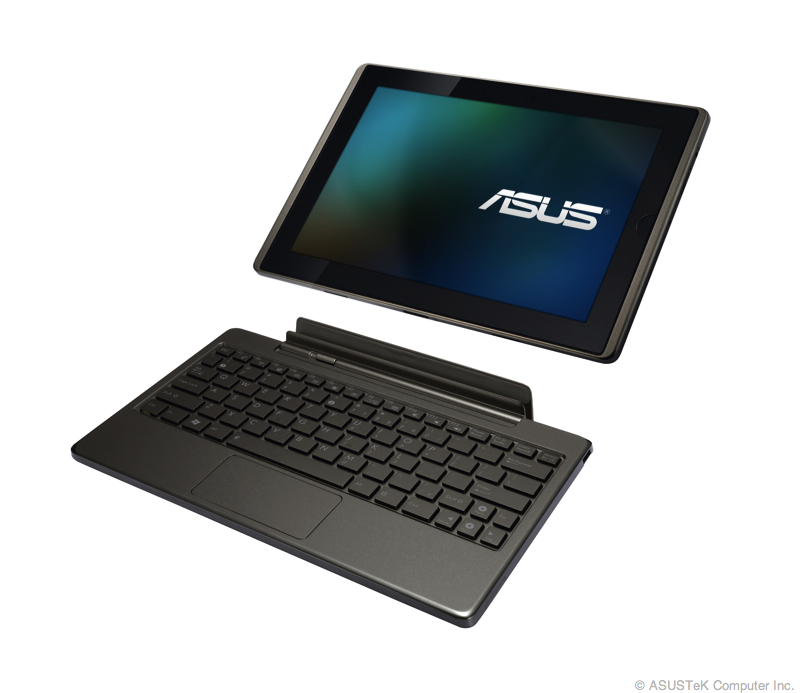 There are apps available for both that make using the South Brunswick resources easier like downloading and reading eBooks.
So, take two tablets and call me in the morning with your choice.
For more information, call 732-329-4000,ext. 7286.
by Randall Marsola
Network Librarian
Subscribe to:
Posts (Atom)